
Inflight Entertainment
Inflight Entertainment
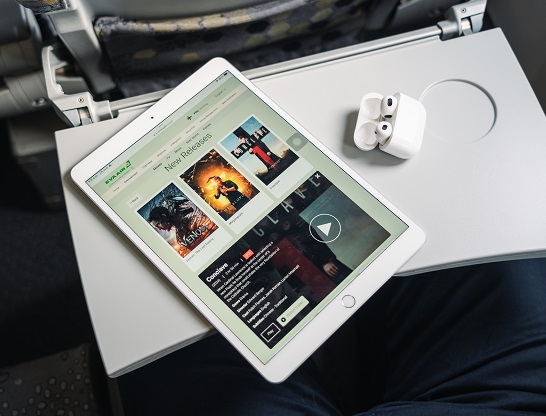
Nonstop Fun in the Sky – Entertainment Your Way!
Our inflight entertainment system offers each passenger with a rich and diverse audio-visual experience. Whether it’s movies, TV shows, music, or games, you have an unparalleled range of entertainment options during your flight to keep boredom at bay and make your journey more relaxing and enjoyable.
Get more information about Movies, TV shows and Games
AVOD (Audio Video On Demand)
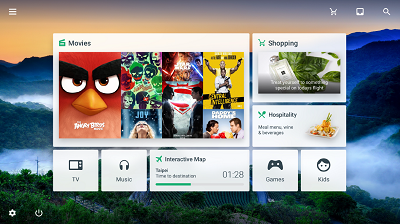
Passengers traveling in Business Class on A321-200 and on A330-300, 777-300ER and 787 aircraft, can enjoy the most advanced AVOD (Audio Video On Demand) service via front screen. The content offers a rich and diverse selection of audio-visual program, including Hollywood movies, popular TV shows and a variety of music options. Each passenger has an independent screen and can freely choose to watch videos or listen to music.
A321 Fleet Inflight Wireless Entertainment System
On this A321-200 aircraft, you may use your personal electronic devices to connect to Inflight Wireless Entertainment System "EVA Star Gallery," and enjoy movies, TV programs, music and flight information. Please bring your own electronic device, such as smartphone, tablet, and laptop with earphones and complimentary 3.5mm wired earphones are available on board. Power bank charging is strictly prohibited throughout the flight. Please ensure your devices are sufficiently charged.
A321 Instructions for using the inflight wireless entertainment system
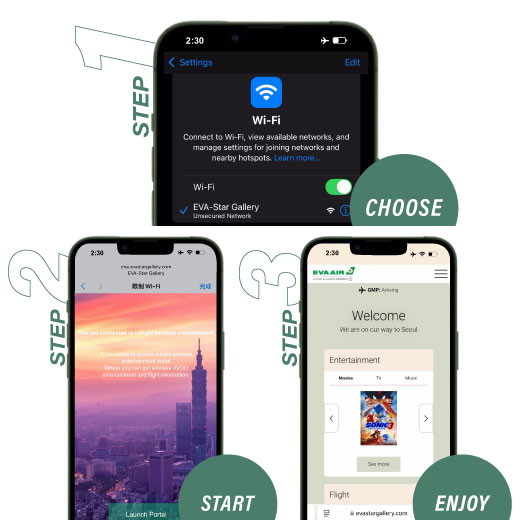
Step 1: When the onboard announcement opens the in-flight wireless entertainment service, please reconfirm your personal electronic devices are in flight mode and select 'EVA-Star Gallery' in the Wi-Fi settings.
Step 2: Please click 'Launch Portal'.
Step 3: The browser will automatically connect to the onboard wireless entertainment system. If the webpage does not open successfully, please scan the QR code on the seatback in front of you or manually enter the URL:www.evastargallery.com。
Notes:
- To ensure flight safety, please adhere to the regulations regarding the use of personal electronic devices in the cabin.
- To keep the cabin quiet, please bring your own headphones for personal electronic devices or mute the sound, and ensure that your devices are fully charged before boarding.
- Business Class on the A321 offers AC power outlets.
- This service supports smartphones or tablets with iOS 13/Android 10 or higher, as well as PCs with Windows 10 or later or Mac computers with MacOS 11 or later.
- This service is for inflight wireless entertainment only and does not provide internet connection or SMS function.